Friday, October 8, 2010

Review: 1stVideo

So, I've pretty much just been working with the 1st video application in one way or another so far, and I have to say, it's a surprising app that takes a little getting used to.

Now, at first, it seemed like an incredibly time consuming process. I assumed I would need to go clip by clip and trim them all before I could drop them into a timeline. This was my fault for not understanding how the application works. I'm sure it probably saved me a little time in the REAL editing phase, but it doubled my clips and took about an hour before I even so a timeline, at which point I commenced to cut and clip things without regard for my earlier trimming. Once you start a new project, though, this baby shines.

The video editing section of 1st Video just WORKS. My fingers are a little big, so sometimes it got frustrating trying to snag the indicator, but once I got the hang of it I was zooming. Plus, the feature where you can tap the screen with two fingers to enter into a menu of abilities, chief among these being copy, paste and cut was a godsend. It was intuitive, worked where I needed it to, and didn't bite back too many times. I say too many times because I found myself cursing after five minutes of getting exactly the right selection, only to skip the drag and drop stop and insert the entire clip into my timeline. Aligning sound was also a cinch, although something weird was going on with my leveling. Still, I took to it with the attitude that, if I repeated my command enough times, the program would eventually become agreeable. A little tyrannical, maybe, but overall effective.

Expert testimony: Richard Koci Hernandez

Ford Foundation Media Fellow, UC Berkeley - Journalism Grad. School

"[Mobile journalism] IS the future. I wish I had a crystal ball, but I'm old enough to know better than to make comments about the future, who knows, but one thing is certain, viewers will be consuming more and more journalism content on these devices and it only makes sense that journalist will create that content on mobile devices."
"The most difficult is getting people to take you seriously."

Thursday, October 7, 2010

AudioBoo

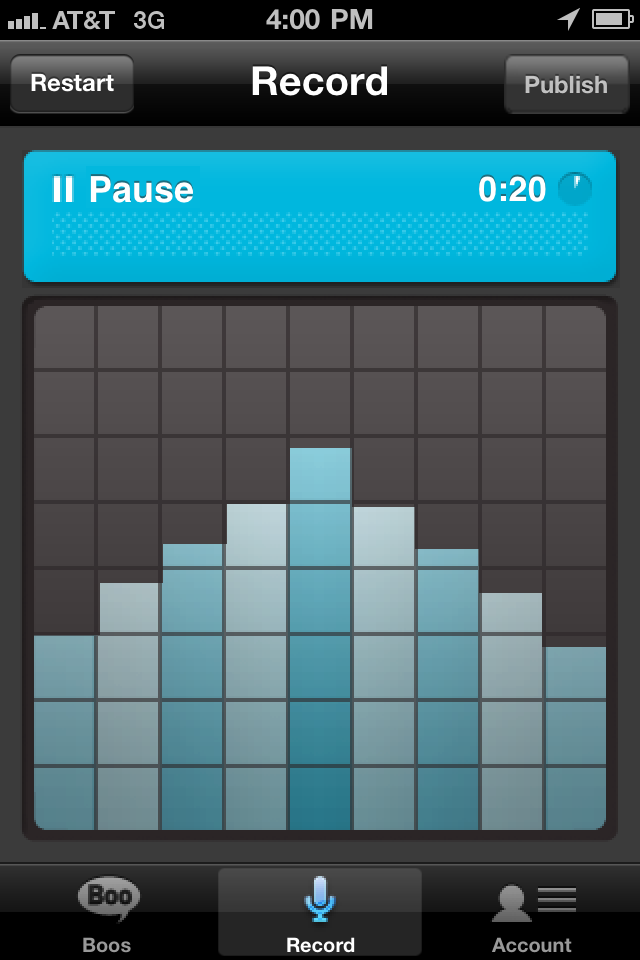
I would describe AudioBoo as the Twitter of audio clips. A person can post their short audio clip to AudioBoo and the other users located near the author can click on their post to listen in. It’s an interesting concept, and not unlike tweets and Facebook status updates. This way, the application allows people to really experience where the author is and what is happening. It’s a simple record and publish format that can be picked up by any social media user.

Radio personalities, show hosts and musicians mostly use the application right now. It’s not widely used in certain areas, so the selection of Boos you can listen to is small. In a bigger city you would have more of a chance to hear interesting and diverse Boos.

You cannot edit on AudioBoo, so once you press “Publish” you have to be ready for your recording to hit the social media waves. I highly suggest checking it out; it’s a good tool to use to promote an event before or, as it is happening. For breaking news it has the potential of being a tool used by journalists as they are covering the story. People could turn to this application for current stories breaking in different parts of the world. It has the potential of being more intense, informational, and engaging as Twitter.

Expert Testimony: Melissa Lyttle

As a photographer, what’s the general feel you get from using the iPhone for professional picture taking?
• The same basic rules of photography apply to the iPhone.
• As long as the light's good, I can certainly make that work.
• It frees me up a little bit, allows me to be looser and playful.
• The subject matter has to warrant its use. I used it to take pictures of local tourist areas, and it made the piece seem more featurey, more from a tourist angle.
• You can use it in news events to get things up immediately.

When you shoot with your phone, do you use any other apps besides camerabag, or any hardware?
• I have a few apps that I love, but for me the beauty of the iPhone is the simplicity of it.

What are some of the problems you faced with the iPhone?
• Use light to sculpt the mood, and u can’t use that when your stuck to a certain aperture priority setting. Plus, the lag on the camera and the inability to shoot in low light cause a lot of problems.

Do you think using the iPhone or other mobile devices will become more commonplace in the future?
• It comes down to just being another tool in your bag

Expert testimony: Gary Hairlson

Interactive/Multimedia Department, St. Louis Post-Dispatch
"And now, all of the media is on the same playing field. First TV had live trucks and then we all had websites. Traditionally, newspapers have the most staffing - we have the resources and the know-how. There’s no reason why we shouldn't be the leader in this."

"A lot of people don't do it enough and they don't want to do it because they say things like I am 'going to screw it up.' If you want to be a better writer, you write. If you want to be a better photographer, you take photos. Same thing."

Monday, October 4, 2010

Review: ReelDirector

ReelDirector: Manufacturer - Nexvio’s ($3.99) for 3G, 3GS, iPhone 4 & iPad
There are a lot of reasons why this video editing application is not on par with traditional video editing, but it is not all bad. The main problem I found with ReelDirector was the extensive amounts of time it takes to perform a task. When selecting a video clip to add to your movie, it must compress, which ranges from fairly fast to a few minutes. To view the piece as a whole (and not just individual clips), you must render the video which takes anywhere from 5-22 minutes for a 2 minute finished product. This defeats the purpose of mobile journalism. Mobile journalism should be fast and easily edited for the web.

Another reason applications such as 1stVideo and iMovie, as well as traditional film editing tools, blow ReelDirector out of the water is the should-be simple action of cutting clips. You cannot watch the clip while editing – you have to just guesstimate and hope that you didn’t cut off something important. I was forced to memorize the raw videos and look for visual cues.

Sunday, October 3, 2010

Roots 'N Blues 'N BBQ 2010

Here are Jennifer's two videos from Roots 'N Blues 'N BBQ 2010-

(1) This video was made in several different programs. The audio was recorded and edited in VC Audio Net from VeriCorder. It was then made in ShowCase under the 1stVideo application, also by VeriCorder.

roots run from Jennifer Elston on Vimeo. Roots Run - Half-Marathon and 10K (October 2, 2010)

I didn't like the limited drag and drop possibilities with the pictures. They were pretty much stuck after they were placed in the timeline. I did, however, love the the multi-track editing with VC Audio. It was uploaded via the USB cord from the iPhone to Vimeo.

(2) The sound to this video was also edited with VC Audio Net, but the final presentation was edited with ReelDirector. ReelDirector's simple interface is perfect for sound slideshow presentations. Click here to read Jennifer's review of ReelDirector. It was uploaded via the Dropbox application and then placed on YouTube to test out different video hosting sites. The slideshow is a little unconventional for a journalism product because there is no caption function, only supers with a couple of words can be placed over the video.